How Many Questions Are on CompTIA A+ Core 1 & Core 2? Tips to Attempt on Time
If you are planning to take the CompTIA A+ exam, one of the first questions you probably have is simple:
How many questions are on CompTIA A+?
Here is the clear answer:
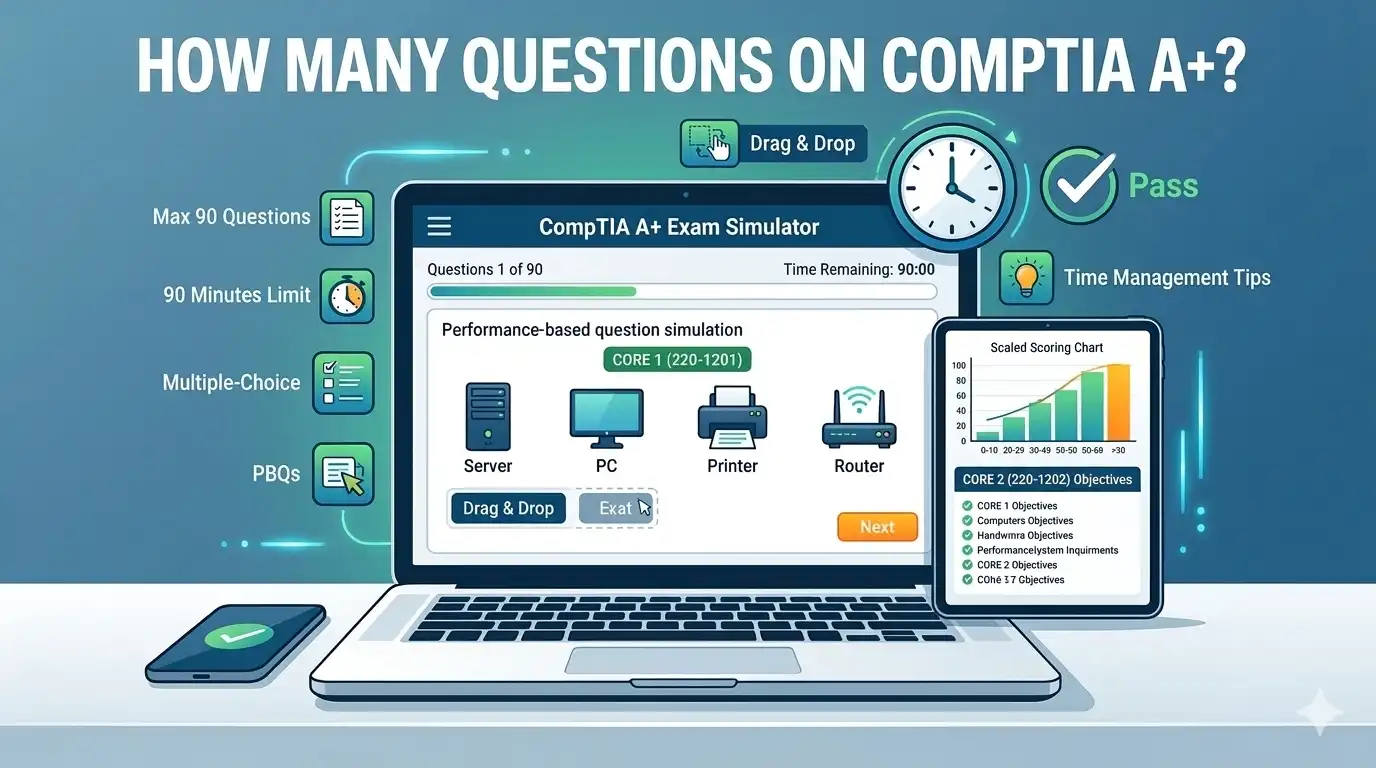
The CompTIA A+ certification includes two separate exams:
- CompTIA A+ 220-1201 (Core 1) V15
- CompTIA A+ 220-1202 (Core 2) V15
Each exam has:
- Maximum of 90 questions
- 90 minutes time limit
- A mix of multiple-choice and performance-based questions (PBQs)
You must pass both exams to earn your CompTIA A+ certification. Now let’s break this down in detail so you know exactly what to expect.
Get 200+ CompTIA A+ Practice Questions in PDF
Quick Overview: How Many Questions Are on CompTIA A+ Core 1 and Core 2?
| Exam | Questions | Time Limit | Passing Score | Question Types |
| 220-1201 Core 1 V15 | Max 90 | 90 minutes | 675 on scale of 900 | Multiple choice, performance based, and drag and drop |
| 220-1202 Core 2 V15 | Max 90 | 90 minutes | 700 on scale of 900 | Multiple choice, performance based, and drag and drop |
Why Does CompTIA Say “Maximum of 90 Questions”?
Important: The exam says “up to 90 questions.”
This detail is easy to ignore, but it actually matters.
The wording does not say “exactly 90 questions.” It says “maximum of 90 questions.” That means your exam might include:
- 85 questions
- 87 questions
- 88 questions
- 89 questions
- Or the full 90 questions
Most test-takers report getting very close to 90. So even though the number can vary slightly, you should expect something near the maximum.
Here’s something else to understand:
Even if you receive 85 or 88 questions, you still get 90 minutes. The time limit does not change. So your time pressure will feel very similar whether you get 85 or 90 questions.
Also, you won’t know the number before the exam starts. The system generates your test when you begin. Once it loads, that’s your version.
Another important point:
When you are searching for the answer of how many questions are on CompTIA A+, remember that the number of questions does not automatically mean the exam is easier or harder.
For example:
- An exam with 88 questions might include more complex simulations.
- An exam with 90 questions might have shorter multiple-choice questions.
Difficulty depends more on the type and complexity of questions, not just the total count.
There is also the possibility of unscored questions. CompTIA sometimes includes research questions that do not affect your final score. These look exactly like normal questions, and you won’t know which ones they are. So you should treat every question seriously.
The safest approach is simple:
- Assume you will see close to 90 questions.
- Prepare your timing based on 90 questions.
- Be mentally ready for a full-length exam.
When you expect the maximum, nothing will surprise you on test day.
Scaled Scoring System
The CompTIA A+ exam is scored on a scale from 100 to 900. This is different from many school exams where you receive a simple percentage like 75% or 80%.
Here’s what that really means.
First, not every question has the same value. Some questions may be more difficult than others. Some may test deeper understanding. Because of this, the scoring system adjusts the final result.
For example:
- Two candidates may answer the same number of questions correctly.
- But if one candidate answered more difficult questions correctly, their scaled score could be higher.
This is why the exam does not simply count how many questions you answered right and divide by 90.
Second, you cannot calculate your score during the exam. Since the scoring is scaled:
- You don’t know how much each question is worth.
- You don’t know which questions may be weighted more heavily.
- You don’t know which questions might be unscored research items.
Because of this, trying to “track your percentage” while testing is not helpful. It can also increase anxiety.
Another important point:
The passing score is different for each exam.
- Core 1 requires 675 out of 900
- Core 2 requires 700 out of 900
These numbers are not percentages. For example, 675 does not mean 67.5%. The scaled score is calculated using CompTIA’s internal scoring system.
The best approach is simple:
Focus on answering every question carefully. Do not try to guess your score while testing. The scaled system is designed to keep the exam fair for everyone, even though different candidates receive slightly different sets of questions.
At the end of the exam, the system calculates everything automatically and shows your final score immediately.
What Types of Questions Are on the CompTIA A+ Exam?
Understanding question types is more important than memorizing facts.

There are 4 types of CompTIA A+ exam questions:
- Multiple-Choice (Single Response)
- Multiple-Choice (Multiple Response)
- Performance-Based Questions (PBQs)
- Drag-and-Drop Questions
Let’s look at each type carefully.
-
Multiple-Choice (Single Response): What They Are and How Many
Multiple-choice (single response) questions are the most common type on the CompTIA A+ exam. In these questions, you see four possible answers, but only one answer is correct. Your job is to choose the best option.
On each exam (Core 1 and Core 2), most of the 90 questions are single-response multiple-choice. While CompTIA does not give an exact number, many candidates report that more than half of the questions are this type.
Here is a simple example:
Which port number does HTTPS use?
A. 21
B. 22
C. 80
D. 443
The correct answer is D. 443.
These questions test your knowledge of topics like ports, hardware, operating systems, and security. They are usually faster to answer than performance-based questions. However, you must read carefully. Sometimes two answers look similar, but only one is the best choice.
-
Multiple-Choice (Multiple Response): What They Are and How Many
Multiple-response questions are a type of multiple-choice question where you must select more than one correct answer. The question will clearly say “Select TWO” or “Choose THREE.” If you select fewer or more than required, you get no points.
For example:
Question: Which two tools can test network cables?
- Multimeter
B. Cable tester
C. Wi-Fi analyzer
D. Loopback plug
Correct answers: Multimeter and Cable tester. Choosing only one or adding a wrong answer gives zero points.
On the CompTIA A+ exams, you can expect several multiple-response questions on each exam, mixed with single-response and performance-based questions. These questions test deeper understanding of topics like networking, hardware, and troubleshooting.
Tip: Read carefully, count how many answers are required, and eliminate obviously wrong choices first. This type of question is harder than single-response, but practice makes it much easier to handle.
-
Performance-Based Questions (PBQs): What They Are and How Many
Performance-Based Questions, or PBQs, are special types of questions on the CompTIA A+ exam. Unlike normal multiple-choice questions, PBQs ask you to do a task instead of just choosing an answer. They test real IT skills and problem-solving ability.
Usually, each exam has 3 to 5 PBQs. They often appear at the beginning of the test, but you can skip them and come back later. PBQs take more time than multiple-choice questions, so planning your time is important.
PBQ Example: Network Troubleshooting Simulation
Scenario:
You are given a small office network with three devices: a PC, a printer, and a router. The PC cannot connect to the internet, but the printer works fine.
Task:
- Identify the problem.
- Drag the correct action steps into the right order to fix the issue.
Options (Drag-and-Drop):
- Check the PC’s IP address settings
- Restart the router
- Verify the network cable is plugged in
- Ping the router from the PC
- Reset the router to factory settings
Correct Order:
- Verify the network cable is plugged in
- Check the PC’s IP address settings
- Ping the router from the PC
- Restart the router
4. Drag-and-Drop Questions: How They Work
Drag-and-drop questions are a type of CompTIA A+ question where you match items or put steps in the correct order. Instead of choosing an answer from a list, you move items on the screen to their correct places.
Example
For example, a question might ask you to match network cables with their connectors. You might see:
- HDMI
- RJ45
- USB-C
And options like:
- Ethernet port
- Monitor port
- Computer charging port
You need to drag HDMI to Monitor port, RJ45 to Ethernet port, and USB-C to Computer charging port.
Another type asks you to put troubleshooting steps in the right order, like checking power first, then checking cables, and finally testing software.
These questions test understanding, not memorization. You need to know which items belong together or which steps to take first.
They usually appear a few times per exam, often in Core 1 and Core 2.
Why Does CompTIA Use Different Question Types?
The CompTIA A+ exam doesn’t just ask simple questions like “What is a CPU?” or “What does Wi-Fi stand for?” That would be too easy. IT work is practical, which means you often have to think and solve real problems. This is why the exam includes different types of questions.
The Goal of All These Types is Simple
CompTIA wants to see if you can think logically, solve problems, and apply knowledge. It’s not enough to memorize answers from a book. In real IT work, problems don’t come with a multiple-choice list. You need to figure out solutions.
By including different question types, the exam makes sure you are ready for real-world IT tasks. So practicing different types of questions will help you feel confident and prepared for anything the exam throws at you.
What Objectives Are Covered in Core 1 220-1201 V15 Exam Questions?
The Core 1 (220-1201 V15) exam questions cover 5 objectives that test your hardware, networking, and troubleshooting skills. Let’s go through each area so you know what to expect.
-
Mobile Devices (13%)
This section focuses on smartphones, tablets, and laptops. You might need to know how to install batteries, cameras, or Wi-Fi antennas, and configure accessories like USB, Bluetooth, NFC, or docking stations. You also need to set up Wi-Fi, cellular data, and sync settings.
For example, a question could ask: “A tablet cannot connect to Wi-Fi. What should you check first?” You would need to know basic troubleshooting steps.
-
Networking (23%):
Here, you learn about protocols and ports like HTTP (80), HTTPS (443), or FTP (21). You also need to set up small office/home office (SOHO) networks, including IP addressing and VPNs. You may use tools like crimpers, cable testers, or Wi-Fi analyzers to diagnose network issues.
For example, a question may ask you to match a network tool with its function.
-
Hardware (25%):
This area focuses on installing and maintaining RAM, CPUs, storage, motherboards, and power supplies. You also work with cables like HDMI, Ethernet, USB, and peripherals such as printers and scanners.
A sample question could ask: “Which tool would you use to check a printer connection?”
-
Virtualization and Cloud (11%):
You should understand virtual machines, hypervisors, and cloud models like IaaS, SaaS, and PaaS.
For instance, a question might ask which cloud model is best for a software application.
-
Hardware and Network Troubleshooting (28%):
This is the largest section. You need to identify and fix hardware and network problems. You may use tools like multimeters, cable testers, or loopback plugs.
For example, if a PC does not boot, you must figure out if it’s the power supply, RAM, or motherboard.
In short, Core 1 tests your ability to install, configure, and troubleshoot hardware and networks in real-world scenarios. Understanding these topics well will make the exam much more manageable. To prepare thoroughly for the 220-1201 exam, access realistic practice test questions with answers and explanations.
What Objectives Are Covered in Core 2 220-1202 V15 Exam Questions?
The real CompTIA A+ Core 2 (220-1202) exam questions focuses on software, security, and operational skills. It has four main areas, each with a percentage of the exam.
Let’s break them down with examples.
1. Operating Systems (28%)
This section tests your knowledge of different operating systems like Windows, macOS, Linux, and mobile OS. You need to know how to install them, manage updates, and upgrade systems. You also need to understand tools like Task Manager, Command Prompt, and Disk Management.
Example: If a computer is slow, you may be asked which tool to use to see which program is using too much memory. Task Manager is the right tool.
2. Security (28%):
Security is a big part of Core 2. You should understand encryption, access controls, and wireless security protocols. You also need to know how to detect and remove malware.
Example: A user reports their PC is showing suspicious pop-ups. You might be asked which steps to take to remove malware safely.
3. Software Troubleshooting (23%):
Here, you solve problems with operating systems, applications, and mobile devices. You need to diagnose issues like app crashes, connectivity problems, or unauthorized access.
Example: A phone cannot connect to Wi-Fi, or an app keeps closing. You need to check settings, update software, or reset the device.
4. Operational Procedures (21%):
This area is about professional IT work. You should know how to document changes, follow safety rules, communicate with users, and perform backups.
Example: Before updating a system, you should document the current configuration and create a backup so that nothing is lost if the update fails.
In short, Core 2 questions test both your technical skills and your practical IT knowledge. The exam mixes scenario-based questions and problem-solving tasks, so understanding these areas will help you handle real-world situations confidently.
How Much Time Do You Really Have Per Question?
The CompTIA gives you 90 minutes to complete up to 90 A+ actual exam questions. At first, this sounds easy, right? One minute per question. But in reality, it’s not that simple. Some questions are quick, like basic multiple-choice, but others, especially performance-based questions (PBQs), take longer because you need to solve a problem or perform a task.
Simple Way to Divide Your Exam Time
Think of it like a race. If you sprint every question the same way, you’ll run out of energy. You need a plan. Here’s a simple way to divide your time:
-
60–65 minutes for multiple-choice questions:
Most of your questions fall here. They are faster to answer, but make sure to read carefully. Words like “first” or “best” change the meaning.
-
20 minutes for PBQs:
These are longer, interactive questions. For example, you might be asked to match ports to protocols or troubleshoot a PC that won’t start. Don’t rush; make sure you follow steps logically.
-
5 minutes for review:
Always save a little time to go back and check flagged or tricky questions.
One common mistake students make is spending 10 minutes on one difficult question. That’s risky. You could waste valuable time and not finish the exam. Instead, use the flag option. Mark tough questions, move on, and come back later if time allows.
Let’s understand with an example:
Imagine you see a PBQ where you need to configure Wi-Fi settings on a simulated PC. It might take 5–7 minutes. If you try to solve it immediately while slow on multiple-choice questions, you may run out of time.
But if you skip it, finish the faster questions, then return with a clear mind, you’re more likely to answer it correctly.
In short, time management is just as important as knowing the answers. Planning your minutes carefully, using the flag option, and not getting stuck on one question can make the difference between passing and failing.
Problems Candidates Face During the Exam
Taking the CompTIA A+ exam can be challenging, even for students who have studied well. There are a few common problems that many candidates face during the test. Understanding them can help you avoid mistakes and stay confident.
1. Running Out of Time
One of the biggest issues is time management. The exam gives you 90 minutes for up to 90 questions. That’s about one minute per question. But performance-based questions (PBQs), like simulations or drag-and-drop tasks, take longer. Many students spend too much time on these at the beginning and then rush through the rest of the questions.
For example, a PBQ may ask you to configure a Wi-Fi router. If you spend 15 minutes on it, you may have less than a minute for some multiple-choice questions.
2. Not Reading Carefully
Another common mistake is misreading questions. Words like “first,” “best,” or “most likely” change the meaning.
For instance, a question might ask, “What is the first step in troubleshooting a printer?” If you skip “first” and choose the final solution, you lose points. Always read slowly and pay attention to these keywords.
3. Panic
Many students panic when they see simulations or PBQs. The computer screen can look complicated, and candidates freeze. This slows you down and increases mistakes. Take a deep breath, skip difficult questions if needed, and return to them later.
4. Weak Troubleshooting Logic
Some students know facts but struggle to follow structured steps. For example, when a computer won’t turn on, you should check the power supply first, not immediately replace the motherboard. Following logical steps helps solve problems faster and more accurately.
5. Ignoring Operational Procedures
Finally, some students ignore operational tasks like documentation, backups, or safety rules, thinking they are “common sense.” These are tested in Core 2, and missing them can cost easy points.
Being aware of these problems and practicing them before the exam will make your test day much smoother and less stressful.
Smart Tips to Finish CompTIA A+ Exam Questions on Time
-
Use Practice Exams
When you prepare for CompTIA A+, one of the most important things is practice. Reading books and watching videos is helpful, but nothing beats actually solving full-length exams. Try to simulate the real test: set 90 minutes on a timer and answer all questions without stopping. This helps you get used to the pace, so you don’t run out of time on the real exam. Think of it as a rehearsal for test day.
Get Realistic ComPTIA A+ Core 1 and Core 2 Practice Questions in PDF
-
Study with PBQs
Another thing many students ignore is PBQs, or Performance-Based Questions. These are practical, “do-it-yourself” questions, like dragging items, setting up a network, or fixing a PC problem. Some people focus only on multiple-choice questions and leave PBQs for later. That’s a mistake. Train for PBQs from the start so they feel familiar, not scary.
-
Memorize Key Ports
You also need to memorize key ports and protocols. These are easy marks. For example, HTTP uses port 80, HTTPS is 443, and SSH is 22. Knowing them saves time during networking questions and prevents silly mistakes.
-
Flag Feature
The flag feature in the exam is your friend. If a question is tricky or takes too long, flag it and move on. You can return to it later. This helps you avoid getting stuck and wasting precious minutes.
-
Study for Exams Separately
Finally, study Core 1 and Core 2 separately. Core 1 focuses on hardware, networking, and troubleshooting. Core 2 focuses on operating systems, security, and software troubleshooting. Don’t mix content randomly; it’s easier to understand and remember when you focus on one domain at a time.
Want to study with free realistic practice questions?
Techcertguide has published hundreds of free practice questions for 220-1201 core 1 and 220-1202 core 2 exams. These questions:
- Have accurate answers
- Are based on current exam objectives
- Have detailed explanations
- Cover real exam scenarios
Most importantly, practice with realistic question sets before you book your exam. Try to mimic real exam conditions: time yourself, answer questions in order, and include PBQs. This builds confidence, improves speed, and makes test day feel much less stressful.
By following these simple steps, you can manage your time well, avoid panic, and give yourself the best chance to pass both exams confidently.
Final Thoughts
So, now you know the answer to how many questions are on CompTIA A+. Each exam—Core 1 and Core 2—has a maximum of 90 questions, including multiple-choice, multiple-response, drag-and-drop, and performance-based questions. Even though the number can vary slightly, most students get very close to 90.
The key to success is not just memorizing facts but practicing how to manage your time and think logically. For example, if you see a performance-based question that asks you to configure a router, don’t panic. Skip it for a moment, finish the multiple-choice questions first, then come back. This way, you make sure you answer as many questions as possible without running out of time.
Also, remember the scaled scoring system. Some questions are harder than others, and you cannot calculate your score during the test. So, focus on understanding the concepts, practicing hands-on scenarios, and staying calm.
By knowing how the exam is structured and preparing smartly, you can feel confident walking into the test room. Treat each question carefully, pace yourself, and remember that practice is your best friend. With this approach, passing CompTIA A+ becomes much more achievable.
What’s Next?
Get Your ComPTIA A+ Practice Test Questions in PDF Now